Mobile Childcare Reservations
Club Automation Mobile App
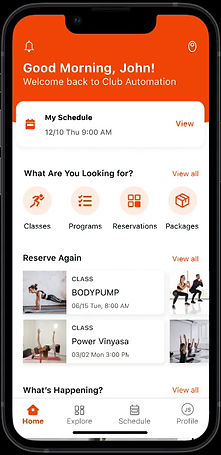
The Club Automation mobile app empowers fitness clubs to provide their members with a comprehensive range of features, granting them control over their fitness journey while delivering an engaging user experience. Through this app, members can seamlessly access their accounts, browse class schedules, make reservations, handle payments, and receive tailored notifications. By placing members at the forefront and furnishing them with an intuitive interface, the Club Automation mobile app establishes a distinctive presence for clubs within their market.
Understanding the problem
The Problem
Gyms, with their extensive range of services, faced a crucial requirement for a childcare reservation system. Initially conceived as software tailored for tennis facilities, Club Automation primarily focused on functionalities such as scheduling court reservations, managing classes, and facilitating instructor payments. However, as we aimed to expand our reach to encompass larger family-oriented establishments, the demand for a childcare reservation feature became increasingly evident. Its absence posed a significant barrier to achieving our Annual Recurring Revenue (ARR) targets, as prospective clients hesitated to commit without this essential functionality. While the need for such a feature had long been recognized internally, shifting market dynamics prompted us to prioritize its development and implementation.
Understanding Existing Logic
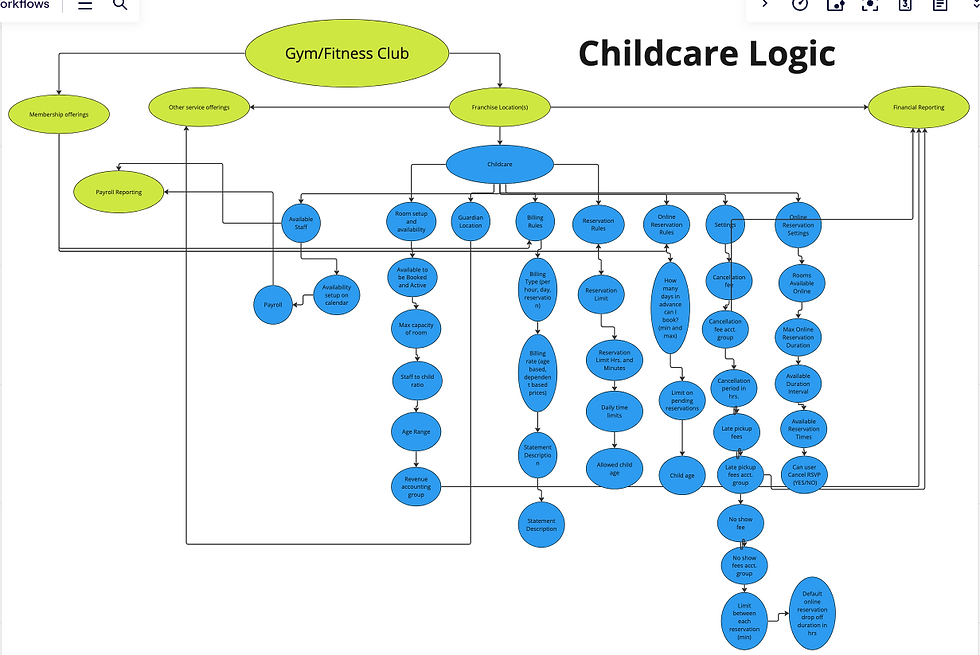
As an initial step in this project, we delved deeply into the existing logic governing the Childcare module within the core system, particularly its functionality for desktop reservations from home. Feedback on this module highlighted issues such as bugs and poor mobile compatibility, which negatively impacted the user experience for members.
Given our commitment to delivering superior UX, we embarked on a thorough examination of the intricate logic framework underlying this project. Our primary focus was on gaining a comprehensive understanding of the childcare component's logic. A key objective was to ensure scalability, especially given the anticipated usage by prestigious and expansive clientele. Additionally, in response to client feedback, we prioritized the implementation of multi-location functionality, enabling seamless rule application across various sites.
Through extensive collaboration with both engineering and services teams, we developed the illustrated framework presented above. This framework served as a crucial reference point, guiding our product decisions and ensuring thorough consideration of all relevant factors as we progressed towards crafting a solution.
APIs required for a solution
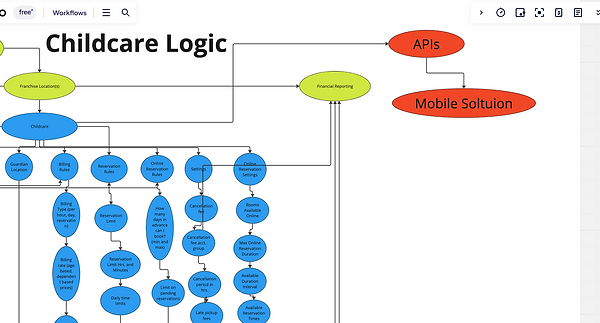
After understanding the logic of the childcare component, we realized we were going to need to create APIs that our mobile app could consume. Given there would be a lot of APIs that were going to need to be made, we let our engineers about this work early on to ensure we could chip away at it before having a full solution.
Interviews
Customer Interviews
Given that this request had been on our radar for several years, we had amassed a substantial list of individuals who had expressed interest in it. We proactively reached out to approximately 15 customers, conducting in-depth interviews with 9 of them. These customers represented a diverse range of sizes and childcare requirements.
Our primary objective during these interviews was to gain insight into both the members' needs and the staff requirements necessary to effectively implement the solution.
Product Vision
Story-mapping
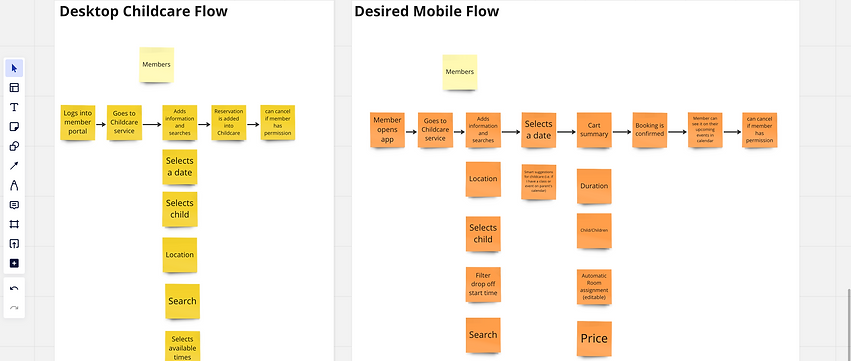
After initial interviews with customers, feedback review and a story-mapping exercise with the services team, we realized there were missing parts that needed to be part of the mobile flow. The vision became that it be to build
-
An attractive, easy and intuitive flow for scheduling childcare reservations
-
Reduce time spent to complete this flow on Desktop
-
Increase online sales and revenue for clubs
Early wireframing
Stakeholder session
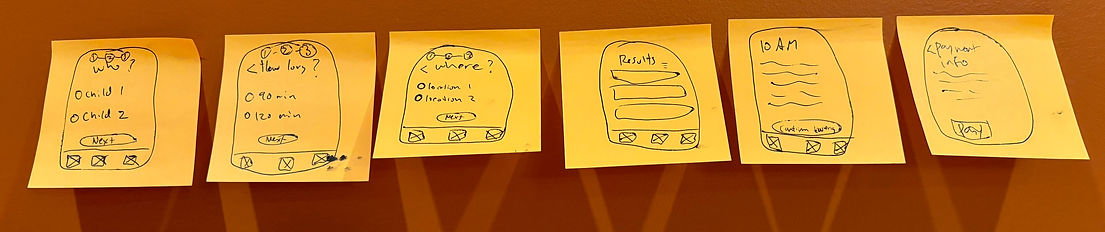
After the our story-mapping exercises was completed, we were confident about the flow we were trying implement. I begin working on the designs to follow the and ensure that we were solving the main needs. With the general flow solidified, I focused in on each screen - the layout of information and how a user would interact with it. These sketches and lo-fidelity prototypes were presented to customers for feedback through a series of interviews and usability sessions.
Development
Phase 1
After a few iterations, I built out the high fidelity prototype using the new design system that we had recently implemented into our mobile app. Since the API work was started early in the beginning of the project, we were able to have all the APIs ready by the time we had the wireframes completed. The team was able to build all parts of this experience in several sprint's worth of work.
We released the first phase of this project to a select group of beta gyms. I implemented a survey to capture initial impressions and over 85% of surveyed users ranked this feature favorably. Customers love the focus on mobile functionality, something Club Automation historically lacks. This is the first step in elevating our customers and giving them competitive advantage in their market.
Right now, childcare reservations is only available for clubs that offer it and have the mobile app. a few key things that will be implemented in the future phases will be the smart suggestions for when a parent is registering for something online, we would like for there to be a "add childcare reservation during this time" button to not require users to enter this flow.